


Lens AI & Reverse Image Search
4.332.00 Reviews
App Specs
- Version
- 1.3.9
- Updated On
- License
- Free
- Downloads
- 10,000+
- Developer
- HEYOS
- Categories
- Productivity
- Platform
- Android
Screenshots
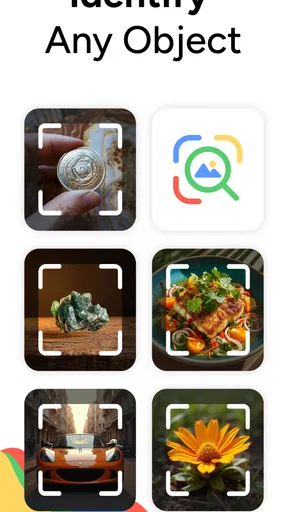
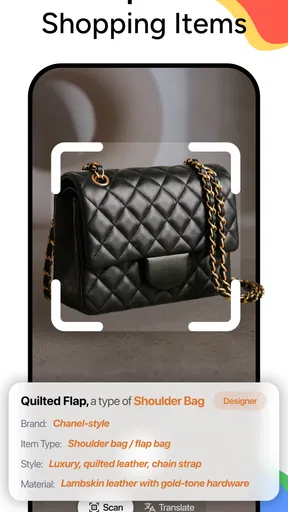
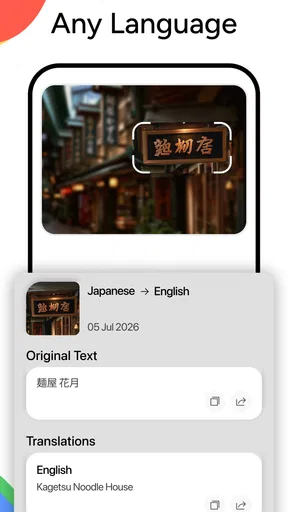
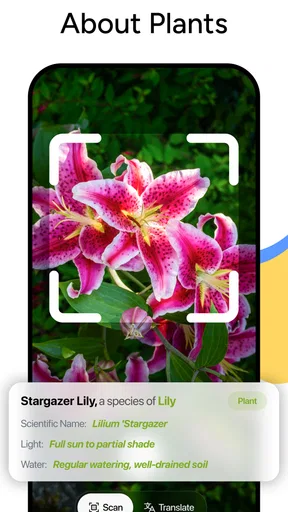
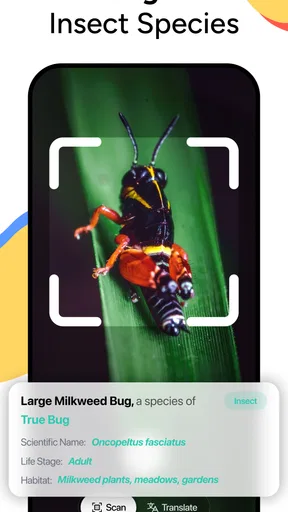
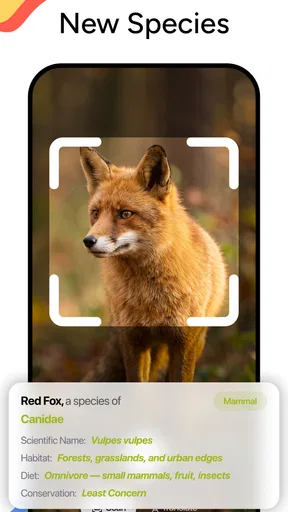
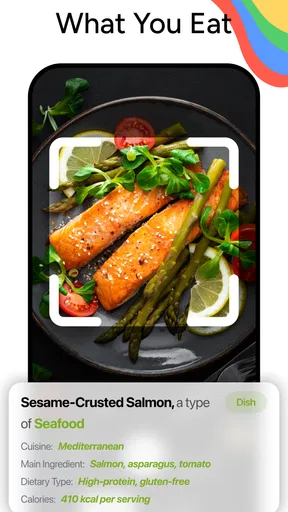
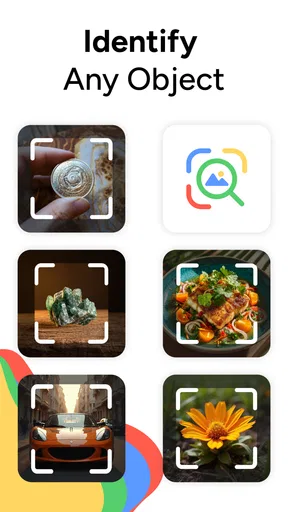
 Analysis by AppCompare
I approached Lens AI & Reverse Image Search as a practical productivity tool rather than a novelty camera app. Its purpose is simple: help me look up a picture, identify what appears in it, or search for visually similar results without first knowing the right words. That sounds narrow, but it can save a surprising amount of time when a normal text search is too vague.
In everyday use, I found the idea most useful when I had an image but no reliable description. A screenshot of an item, a photo of an unfamiliar object, or a picture saved from a conversation can be difficult to search manually. A visual search app gives that image a starting point. The important distinction is that it does not replace judgment. It helps me discover possible matches; I still need to check whether the result actually fits what I am looking for.
The app sits in the productivity category and comes from HEYOS. It is free to install, with optional purchases ranging from $6.99 to $49.99 per item. That combination makes the first test relatively easy, although anyone who expects every advanced capability to remain free should look carefully at the purchase screen before building a regular workflow around it.
How the visual search workflow feels in real situations
The most natural way to use the app is to begin with a photo that already exists on the phone. Instead of opening a browser and trying several descriptions, I can select the image, let the visual search process interpret it, and then compare the results with the original. This is especially helpful for objects with names I do not know, products whose model details are hidden, and images where the surrounding context matters more than a single keyword.
A realistic example is shopping for a replacement item. I might have a photo of a small household accessory but no packaging or product name. A text search for “small black plastic part” is unlikely to be useful. A reverse image search gives me a better chance of finding visually related listings or references. I would still verify dimensions, compatibility, seller details, and the exact version before buying. The app can shorten the discovery stage, but it should not be treated as proof that two products are identical.
Another useful situation is checking the origin of an image shared in a group chat. Searching the picture can reveal visually similar versions and may help me locate an earlier or clearer copy. That can be valuable when I am trying to understand context, but visual similarity is not the same as source verification. Cropping, editing, compression, and reposting can all change what the results show.
I also see value for students, travelers, and people working with unfamiliar objects. A photo of a plant, landmark, tool, or piece of equipment can become a starting point for research. The best workflow is to use the result as a prompt for further checking, then confirm the answer through a dependable source. That extra step matters because image recognition can produce plausible but incorrect matches.
Worth Reading Before You Choose

EA SPORTS FC Mobile 26 Is a Bigger Football Game, but It Takes Time

Flipboard Shows What News Apps Must Do Beyond the Feed

Switching to Android Auto Means Rethinking Your Driving Routine

Google Calendar Makes a Crowded Week Easier to Manage

Ludo King Makes the Most of the Minutes Between Plans

Baby Panda World Brings Quick Play to Modern Phones, but Its Game Library Feels Busy
What makes it different from an ordinary web search
A normal search engine is stronger when I already know the words that describe my problem. It is usually faster for an exact model number, a quoted phrase, or a clearly named topic. Lens AI & Reverse Image Search is more useful at the opposite end: when I have a visual reference but weak language. The two approaches work well together rather than competing directly.
I would start with the image when the object is unfamiliar, then switch to text once I have learned a likely name or category. That two-step method is more reliable than repeatedly uploading the same unclear photo and accepting the first attractive result. The image provides discovery; text search provides precision.
The app’s store summary focuses on photo search and search by image, while its short description presents it as Lens AI. In practice, I would interpret that positioning as a focused visual lookup tool, not a complete research assistant. It is best at helping me move from “What is this?” to “What should I investigate next?”
Small workflow choices that improve the results
The quality of the source image matters more than many new users expect. A tightly cropped picture of the relevant object is usually more useful than a busy scene containing several unrelated things. If I am searching for a shoe, I would crop out the floor and surrounding furniture. If I am checking a device, I would try a second image showing the label or distinctive side rather than relying only on a distant overview.
When an image contains multiple possible subjects, I would make separate searches instead of expecting one upload to understand every detail. This is one of the most practical habits with the app: isolate the question before searching. A photo can be visually clear and still be a poor search input if it contains too many competing objects.
For screenshots, I would remove chat headers, buttons, and decorative borders where possible. Those elements may dominate the visual pattern and pull results away from the item I care about. Similarly, a screenshot of a product page can work better after cropping away the navigation bars and unrelated recommendations.
One non-obvious trade-off is that the most convenient image is not always the safest image to upload. A personal photo may contain faces, addresses, documents, screens, or background details that were irrelevant to my original question. Before searching, I would crop or replace those details. This is both a results-quality improvement and a sensible privacy habit.
Trust, controls, and moments that deserve care
Because this app works with images, trust is not only about whether the results look convincing. It is also about how deliberately I choose what to submit. The visible user choice is the image itself: I decide which photo becomes part of the search action. That makes preparation important. I would not casually upload a full screenshot when a small crop answers the same question.
I also prefer treating the app as a tool for selected searches rather than a place to send my entire photo library. A focused workflow reduces unnecessary exposure and keeps the purpose clear. If I am trying to identify one object, there is no practical reason to include unrelated people, documents, or private surroundings in the same image.
Account control is another point I would consider before using any productivity app regularly. If the app presents a sign-in request, I would read what is being requested and decide whether an account is worthwhile for my use. I would avoid creating an account simply to perform an occasional one-off lookup unless the benefit is clear. For recurring work, an account may be convenient, but convenience should be balanced against the amount of personal information I am comfortable associating with the service.
I would also pay attention to the exact wording around image handling, history, and deletion wherever those choices are shown in the app or device settings. I do not treat a visual match as evidence that an image is private, temporary, or automatically removed. Those are separate questions. My recommendation is straightforward: review the available controls before submitting sensitive material, and use ordinary photos for initial testing.
The same caution applies to permissions. I would grant only the access needed for the workflow I actually intend to use, and I would prefer selecting individual images when the operating system offers that choice instead of opening the entire library by default. If I only need to search a saved screenshot, broad ongoing access would be difficult to justify from my perspective.
Where the app can mislead if I use it too quickly
Visual search results often feel authoritative because they arrive in a neat list of similar images. That presentation can encourage overconfidence. A visually close result might be a different product revision, a copied image, a promotional render, or an unrelated object with similar colors and shape. I would use the app to generate candidates, then compare details such as logos, connectors, stitching, proportions, and visible markings.
This matters even more for health, safety, legal, or financial decisions. I would not rely on an image match to identify medication, diagnose a skin condition, assess structural damage, or establish ownership. In those situations, the app may help me formulate a question, but a qualified source should provide the answer.
There is also a practical limitation with poor or unusual images. A dark photo, a heavily edited picture, a partial object, or an item photographed from an uncommon angle may return broad or confusing matches. Instead of assuming the app has failed completely, I would try a cleaner crop, a different angle, or a second image. If several attempts remain inconsistent, that is a signal to switch to manual research.
Another friction point is separating discovery from action. Finding a similar item does not mean I have found the correct seller, the original creator, or a trustworthy source. I would avoid tapping through impulsively just because the visual match looks close. For shopping, I would compare independent details. For images, I would look for context and earlier references. For research, I would verify the claim elsewhere.
Free access, optional purchases, and expectations
The app is free to download, which makes it reasonable to install and test with low-sensitivity images. However, optional purchases are part of the experience, priced at $6.99 to $49.99 per item. I would not assume that the free entry point represents the entire long-term workflow. Before paying, I would first establish whether the app saves meaningful time compared with the visual search tools already available through my browser or phone.
For occasional searches, a free option may be enough. For repeated research, cataloging, or shopping comparisons, a paid feature could become worthwhile if it removes a genuine bottleneck. My advice is to judge the purchase by frequency and value, not by curiosity. If I only need to identify one object every few months, paying for advanced access may not make sense. If I use visual lookup several times a week, the calculation is different.
I would also check the purchase wording carefully before confirming anything, especially if I am testing the app on a shared device. The age rating is Everyone, which makes the app broadly accessible, but that does not remove the need for an adult to understand optional charges and image-sharing choices when children use the device.
Who will benefit most, and who should choose another route
I think the app is a good fit for people who frequently receive images without useful descriptions. Resellers, students, travelers, collectors, home improvers, and anyone comparing products can benefit from a visual starting point. It is particularly convenient for users who think in pictures and often know what something looks like before they know what it is called.
It is less compelling for someone who mostly performs exact text searches, works with confidential documents, or needs authoritative identification rather than visual suggestions. A browser’s built-in image search may already cover the occasional lookup, while a specialized professional database may be more appropriate for technical, medical, or archival work.
I would also hesitate to recommend it as a primary tool for people who want a fully organized photo-management system. The app’s strength is searching by image, not replacing a carefully structured library with folders, tags, notes, and backups. Those are different jobs, and combining them can create unrealistic expectations.
My experience with the current release
The current version is 1.3.9, and the app requires Android 8.0 or newer. That makes compatibility fairly approachable for many Android users, though anyone with an older phone should check the system requirement before planning around it. I also noticed that the app has an average rating of 4.2 from around 1.6 thousand ratings, with over 10 thousand installs. Those figures suggest an established early audience, but I would still treat the rating as a broad signal rather than a guarantee that every image type will work equally well.
The rating is most useful when combined with my own test. I would run a small trial using three kinds of images: a clean product photo, a cropped screenshot, and a difficult personal image that I am comfortable sharing. That gives me a better sense of whether the app suits my habits than a single successful search. I would also test the process without sensitive content before deciding whether to use it regularly.
My final view is cautiously positive. Lens AI & Reverse Image Search makes sense when the problem begins with a picture and ends with a question. Its strongest contribution is reducing the blank-page feeling of visual research: I can start with an image, narrow the possibilities, and then continue with human verification. The app becomes much less useful when I need certainty, deep organization, or a substitute for a trusted expert.
My practical recommendation is to use it as a discovery layer, not as the final authority. Crop images carefully, remove private details, review account and permission choices, and confirm important results through another source. If that controlled workflow matches the way you search, the free installation is worth trying. If your searches are rare, highly confidential, or dependent on exact professional identification, the usual browser tools or a specialized service may be the better choice.
Pros
- Searches by uploading photos or using a camera snapshot.
- Useful for identifying products
- objects
- plants
- and visual matches.
- Can reveal visually similar images from across the web.
- Simple interface makes reverse searches quick for beginners.
- Helpful for checking image sources and finding higher-resolution copies.
Cons
- Results may vary significantly depending on image quality and subject.
- Some features or searches may require a subscription or in-app purchase.
- Uploaded images may raise privacy concerns for sensitive or personal content.
- Search results can include unrelated
- duplicate
- or low-quality matches.
- Requires an internet connection for image analysis and web results.
FAQs for Lens AI & Reverse Image Search
What is Lens AI & Reverse Image Search used for?
Lens AI & Reverse Image Search helps you find information about an image by analyzing a photo or picture and searching for visually similar results online. You can use it to identify products, discover the original source of an image, find related pictures, recognize objects, or locate visually matching items. Results depend on image quality, subject availability, and the search engine’s indexed content.
How do I perform a reverse image search with Lens AI?
After opening the app, you can generally choose an image from your gallery, take a new photo with the camera, or paste an image when that option is available. Crop or adjust the selected picture to focus on the relevant object, then start the search. The app processes the image and displays matching or related results, which you can open in a browser for more details.
Does Lens AI & Reverse Image Search require an internet connection?
Yes, an internet connection is normally required for reverse image searches because the selected photo must be sent to an online search service and compared with indexed web content. Basic camera or gallery functions may still work offline, but they will not provide meaningful search results without connectivity. Using mobile data can also consume data, particularly with high-resolution images.
Is Lens AI & Reverse Image Search safe for personal photos?
Before searching, you should review the app’s privacy policy and permissions, especially if you plan to use private or sensitive images. Reverse image tools may upload pictures or transmit them to third-party search providers to generate results. Avoid submitting documents, faces, confidential screenshots, or personal photographs unless you understand how the service handles stored images, processing, and deletion requests.
Is Lens AI & Reverse Image Search free to download and use?
The app may be available to download without an upfront charge, but some features can depend on advertisements, in-app purchases, subscriptions, or limits on the number of searches. Pricing and included tools can vary between Android and iOS versions and may change after updates. Check the store listing carefully before downloading, particularly for trial periods and automatic subscription renewal terms.


